How it works
-
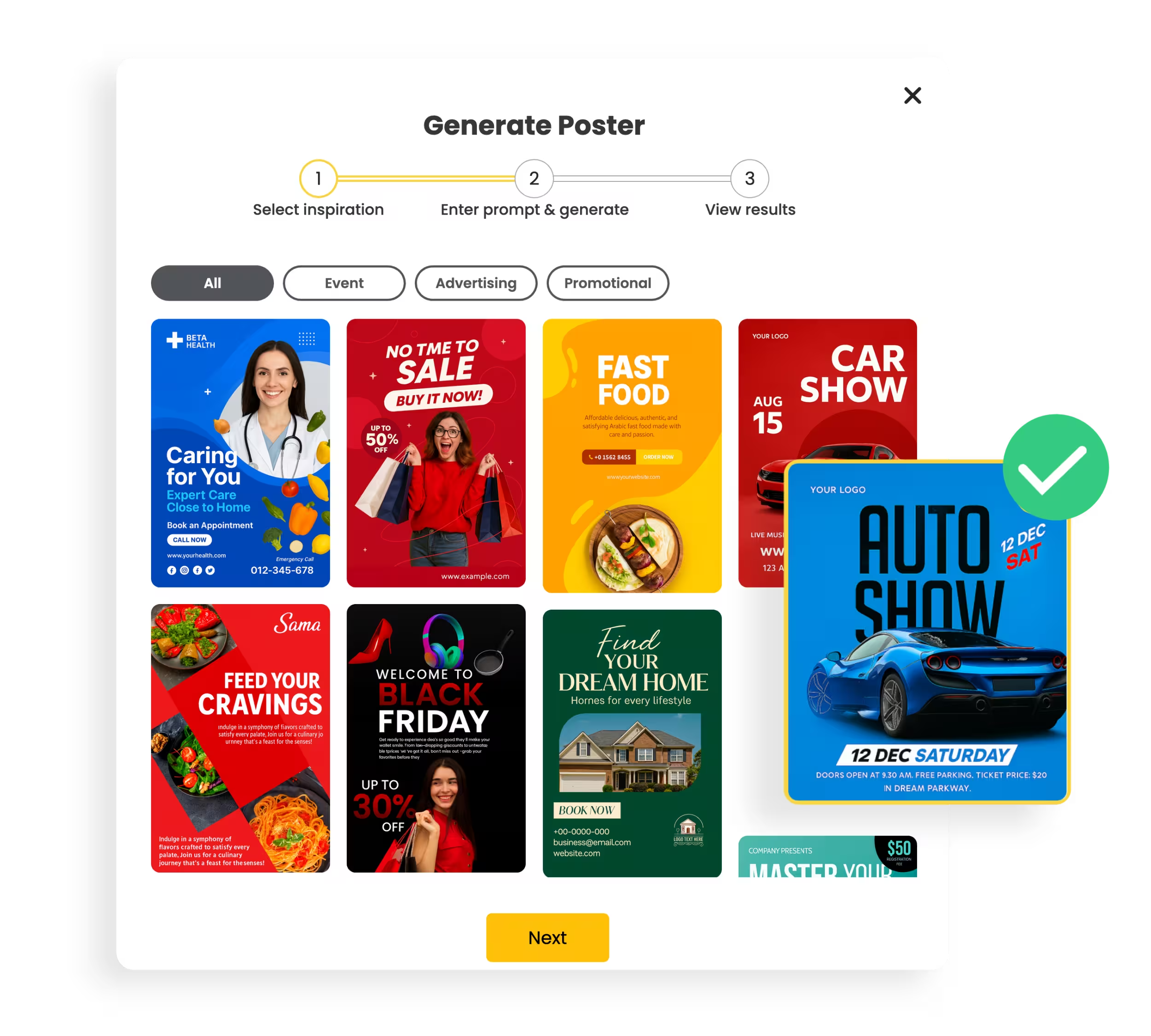
1. Pick Your Inspiration
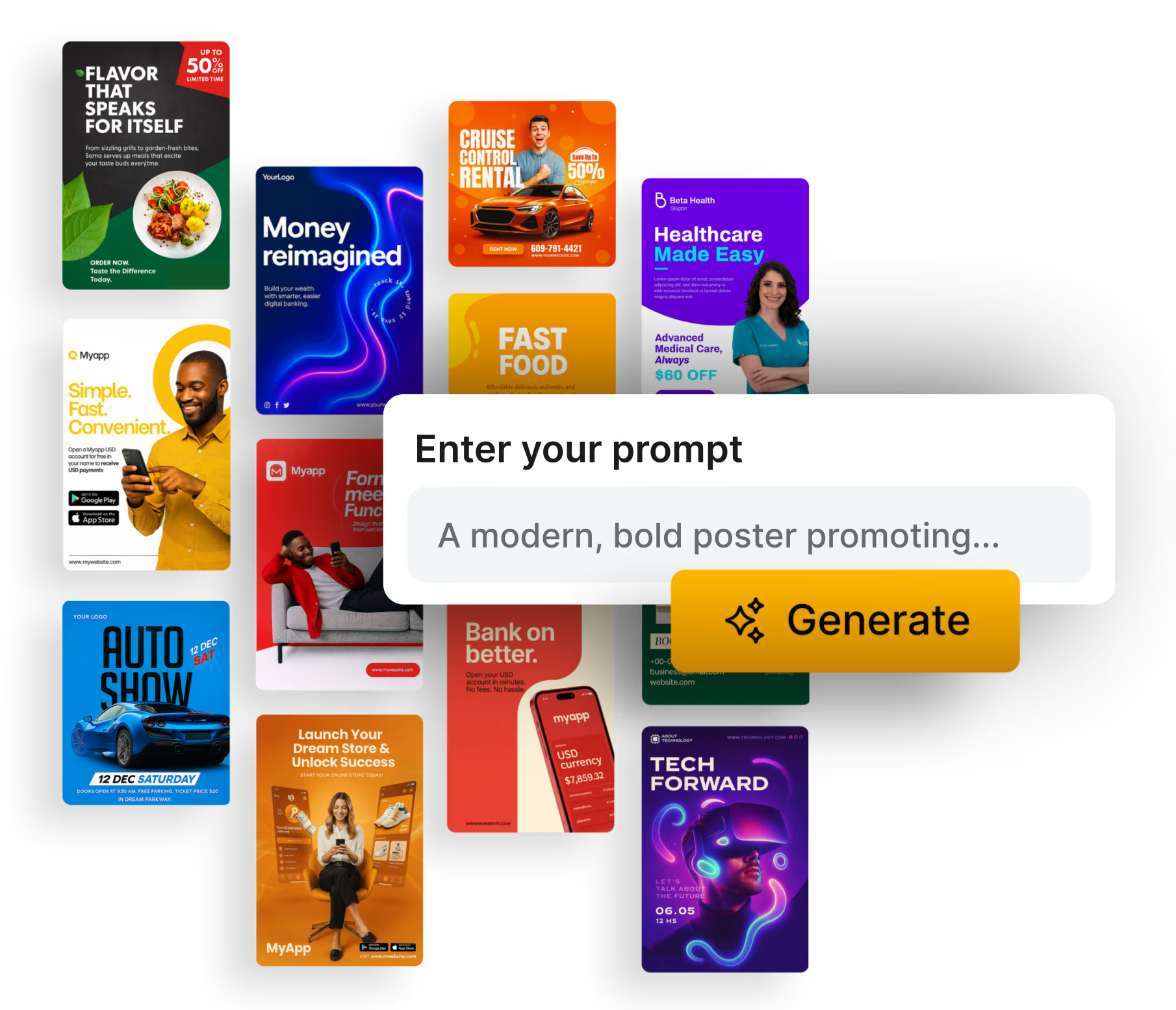
Choose a poster style from our curated library - organized by industry, theme and campaign type.
-
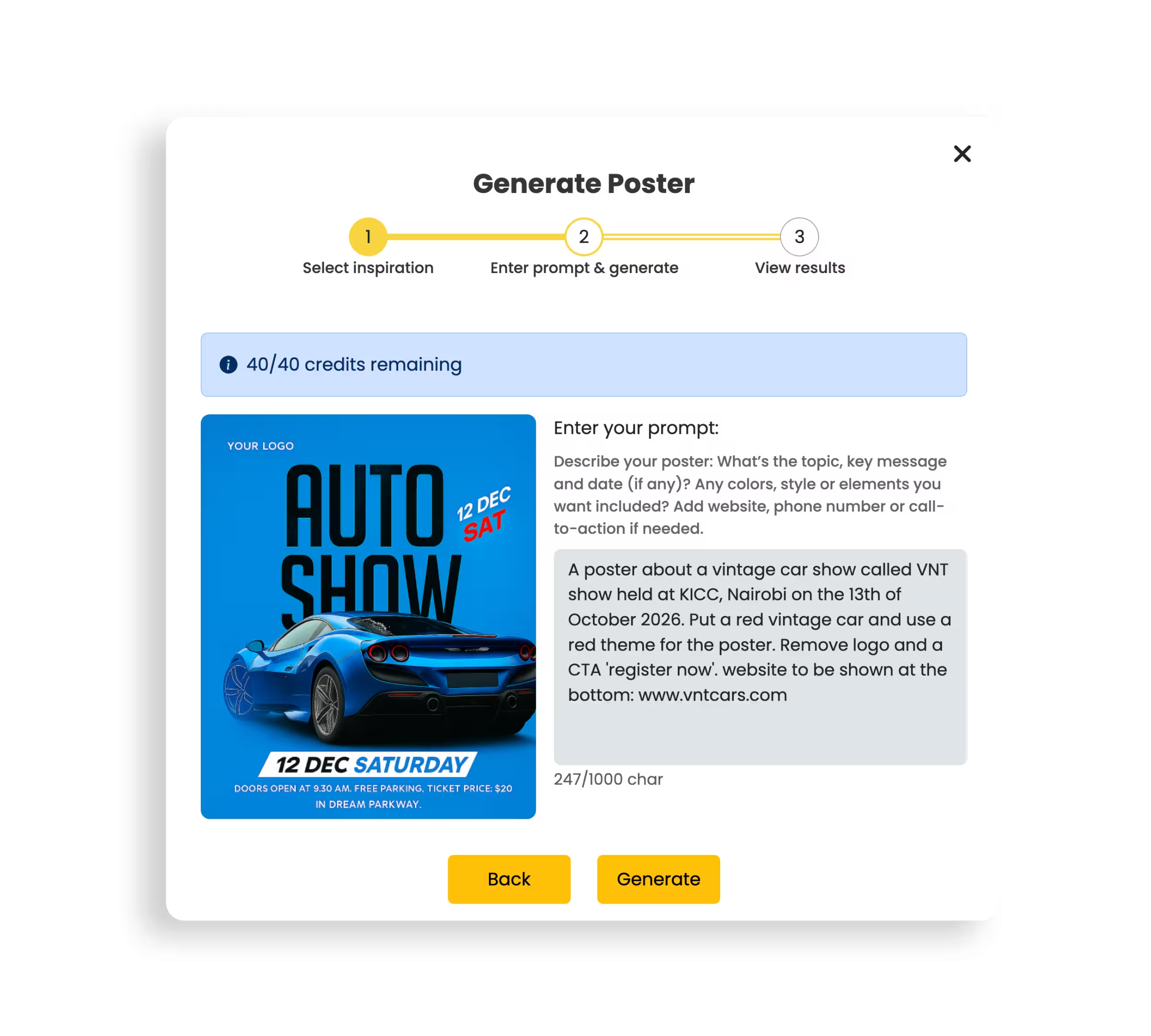
2. Tell the AI What You Want
Type a short prompt describing your poster's message, visuals, colors and layout, then hit Generate.
-
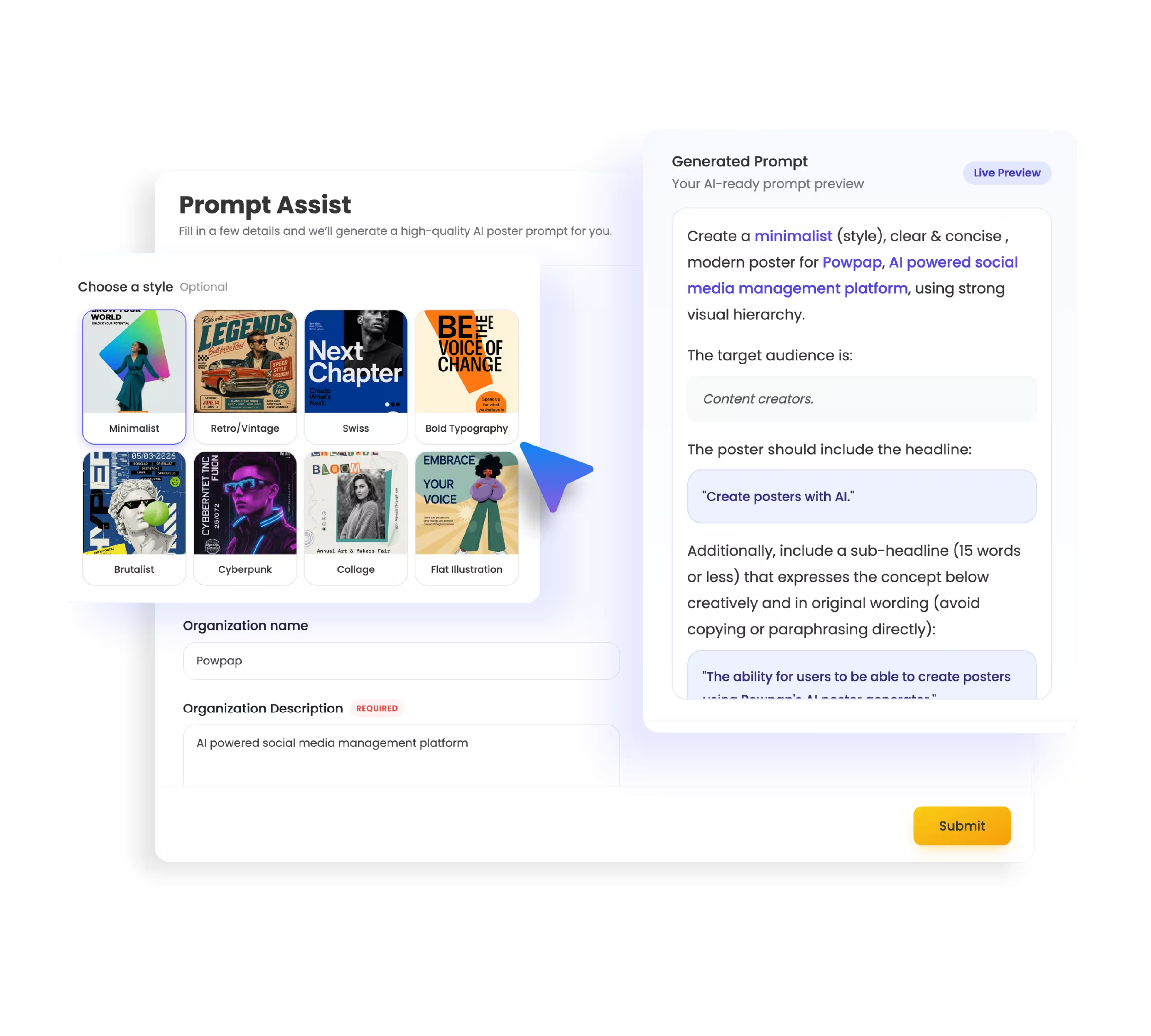
3. Prompt Assistant
Use our Prompt Assistant to help you craft the perfect prompt for your poster. Fill in details about your message, visuals, colors, and layout, and let the AI generate a tailored prompt for you.
-
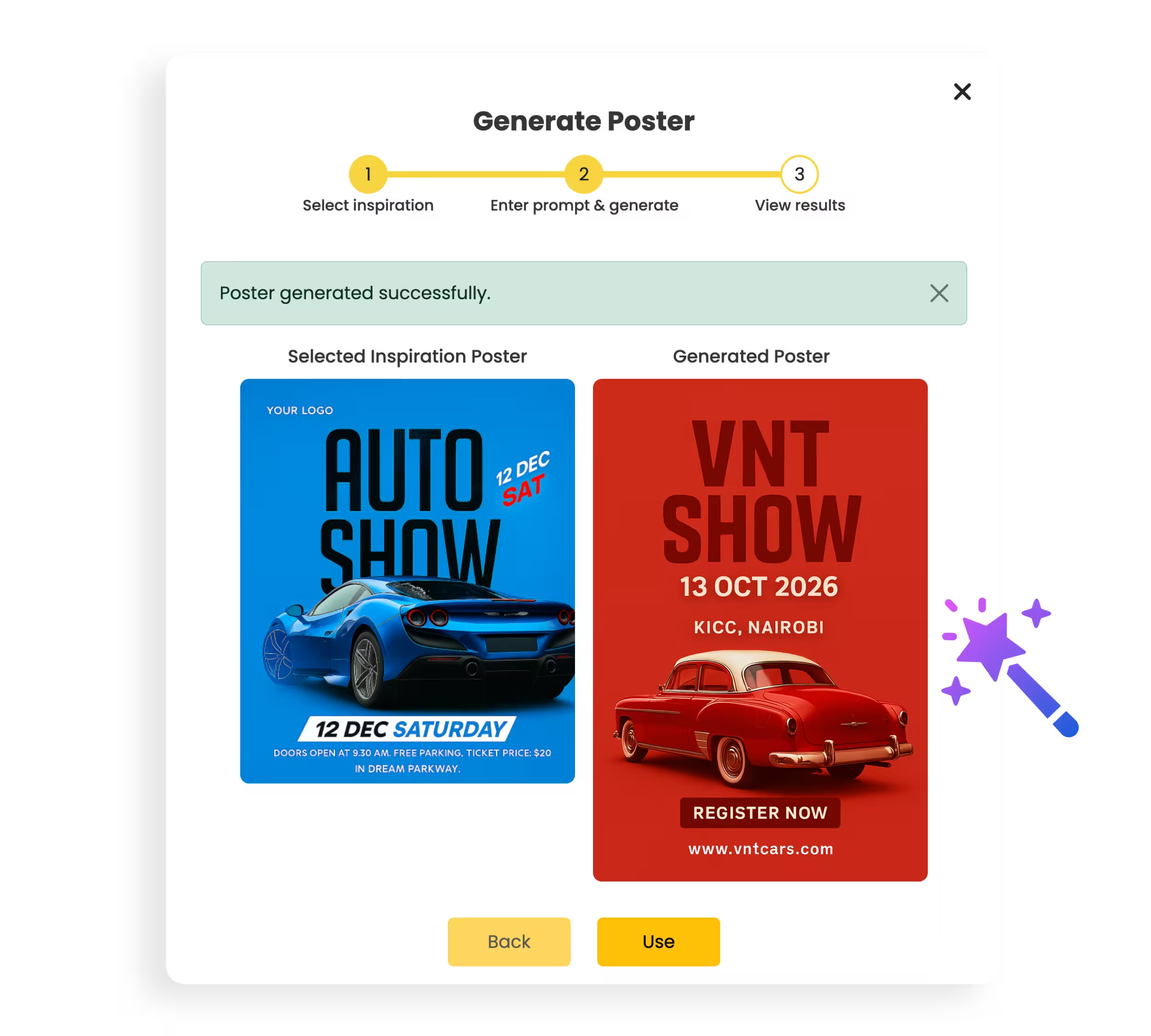
4. Watch the Magic Unfold
In seconds, Powpap creates a stunning, ready-to-post design tailored to your idea.
-
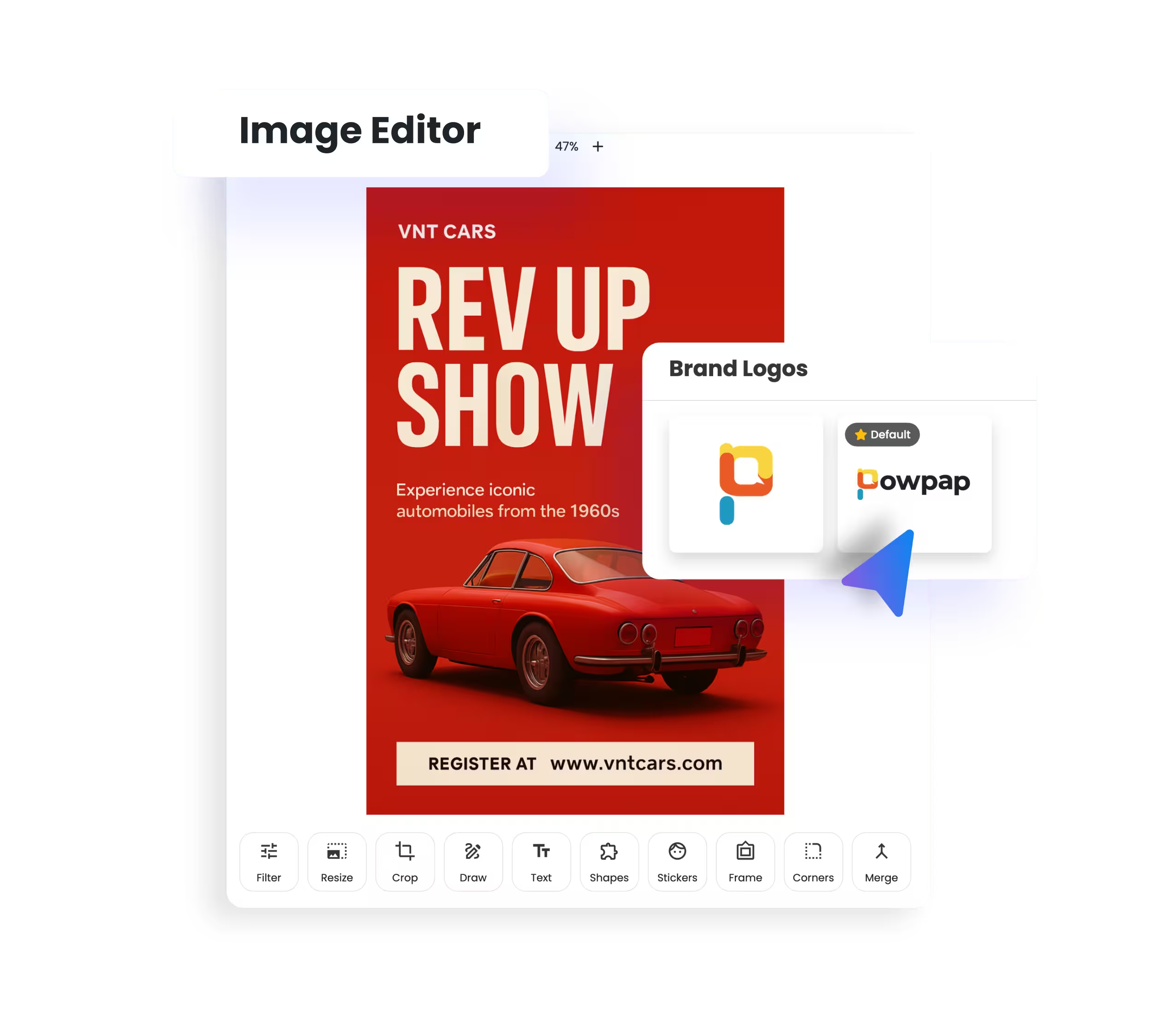
5. Add Brand Assets
Enhance your generated poster by adding your brand logo, colors, and fonts using our easy-to-use image editor.
-
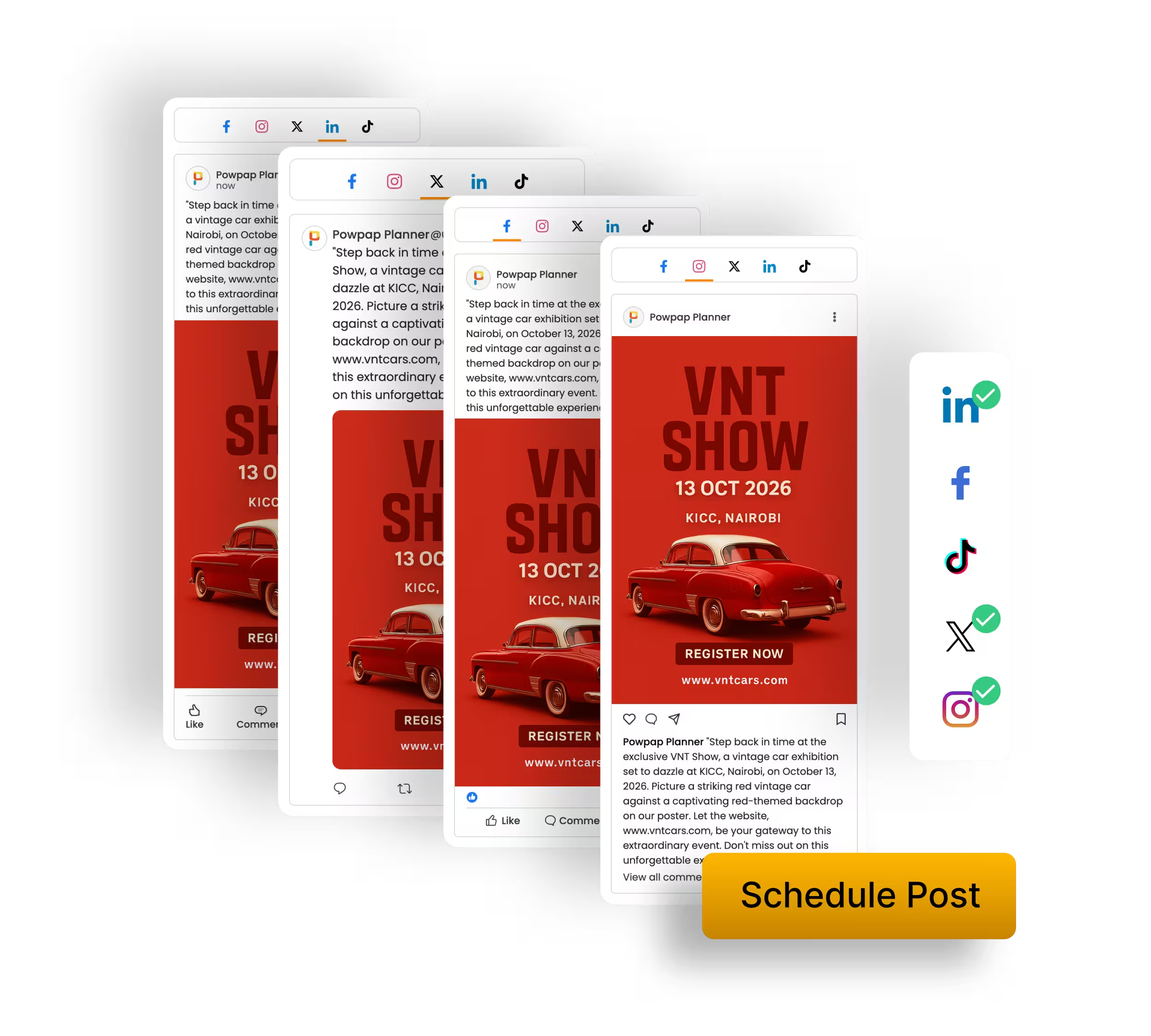
6. Publish/Schedule to Multiple Platforms
Post or schedule your new poster across Facebook, Instagram, X, LinkedIn or TikTok.
-
1. Pick Your Inspiration
Choose a poster style from our curated library - organized by industry, theme and campaign type.
-
2. Tell the AI What You Want
Type a short prompt describing your poster's message, visuals, colors and layout, then hit Generate.
-
3. Prompt Assistant
Use our Prompt Assistant to help you craft the perfect prompt for your poster. Fill in details about your message, visuals, colors, and layout, and let the AI generate a tailored prompt for you.
-
4. Watch the Magic Unfold
In seconds, Powpap creates a stunning, ready-to-post design tailored to your idea.
-
5. Add Brand Assets
Enhance your generated poster by adding your brand logo, colors, and fonts using our easy-to-use image editor.
-
6. Publish/Schedule to Multiple Platforms
Post or schedule your new poster across Facebook, Instagram, X, LinkedIn or TikTok.